Hey there! As a supplier of Wireless Microphone Kits, I often get asked a bunch of questions. One that pops up quite a bit is, "Can I use a Wireless Microphone Kit with a Skype call?" Well, let's dig into this topic and find out.
First off, let's talk about what a Wireless Microphone Kit is. It's a handy piece of equipment that consists of a microphone and a receiver. The microphone picks up your voice, and then it wirelessly sends that audio signal to the receiver. This setup gives you a lot of freedom of movement compared to a regular wired microphone. You can walk around, gesture, and do all sorts of things without being tied down by a cable.
Now, can you use it with Skype? The short answer is yes, you totally can! Skype is a popular video - conferencing and communication platform that supports a wide range of audio input devices. Most Wireless Microphone Kits are designed to be compatible with common operating systems like Windows, macOS, and even some Linux distributions. These are the same systems that Skype runs on, so in theory, they should work together just fine.
Let's break down the steps to get your Wireless Microphone Kit working with Skype. First, you need to make sure your Wireless Microphone Kit is properly set up. This usually involves charging the microphone and the receiver, and then pairing them together. Once they're paired, you'll need to connect the receiver to your computer.
If your Wireless Microphone Kit uses a USB connection, it's super easy. Just plug the receiver into an available USB port on your computer. Your computer should automatically detect the new device and install any necessary drivers. If it doesn't, you might need to check the manufacturer's website for the latest drivers.
After the receiver is connected, it's time to configure Skype to use your Wireless Microphone Kit. Open Skype and go to the settings. Look for the "Audio & Video" section. Here, you'll see options for your microphone and speaker. Select your Wireless Microphone Kit from the list of available microphones. You can do a quick test by speaking into the microphone and seeing if the audio level indicator in Skype moves. If it does, then you're good to go!
There are several benefits to using a Wireless Microphone Kit with Skype. For one, it can significantly improve the audio quality of your calls. A good Wireless Microphone Kit is designed to pick up your voice clearly, even in noisy environments. This means that your voice will sound more professional and easier to understand on the other end of the call.
Another advantage is the freedom of movement. If you're having a long Skype meeting or presentation, you don't have to stay glued to your desk. You can walk around the room, use visual aids, and interact more naturally. This can make your communication more engaging and effective.
Now, let's talk about some potential issues you might run into. Sometimes, there could be interference between the Wireless Microphone Kit and other wireless devices in your vicinity. Devices like Wi - Fi routers, Bluetooth speakers, or even microwave ovens can cause interference. If you notice any static or dropouts in the audio, try moving the receiver away from these devices or changing the channel on your Wireless Microphone Kit if it has that option.
Also, battery life can be a concern. Make sure to charge your Wireless Microphone Kit fully before your Skype call. If the battery runs out during a call, it can be really frustrating. So, it's a good idea to keep a spare battery on hand, especially if you have long calls.
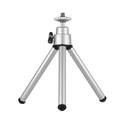
As a Wireless Microphone Kit supplier, I also want to mention some of the related products that can enhance your Skype calling experience. For example, the 360 Degree Camera Tripod can be really useful if you're using a camera for your Skype calls. It allows you to adjust the angle and height of your camera, giving you a better view during the call.
The TS - SZ8858 - Z meeting display stand is another great addition. It can hold your computer or tablet at a comfortable viewing angle, reducing neck and eye strain during long calls.
And if you want to keep your phone within reach during the call, the ABS Desktop Phone Stand is a handy accessory. It keeps your phone in an upright position, so you can easily check messages or take notes without having to constantly pick up your phone.
In conclusion, using a Wireless Microphone Kit with a Skype call is definitely a great idea. It offers improved audio quality and freedom of movement, which can enhance your overall communication experience. If you're interested in purchasing a Wireless Microphone Kit or any of the related products I mentioned, feel free to reach out for more information and to start a procurement discussion. We're here to help you find the best solution for your needs.
References:


- General knowledge about Wireless Microphone Kits and Skype compatibility
- Manufacturer's guides for Wireless Microphone Kits