In the modern digital age, networking adapters have become indispensable tools for both personal and professional use. As a leading networking adapter supplier, I've witnessed the rapid evolution of these devices and the increasing reliance on them for seamless connectivity. However, with the convenience they bring, there are also concerns about potential security risks. In this blog post, I'll explore the security risks associated with networking adapters and discuss how we, as a supplier, are addressing these issues.
Understanding Networking Adapters
Before delving into the security risks, it's essential to understand what networking adapters are and how they function. Networking adapters, also known as network interface cards (NICs), are hardware devices that allow a computer or other device to connect to a network. They come in various forms, including wired and wireless adapters, and support different network protocols such as Ethernet, Wi-Fi, and Bluetooth.
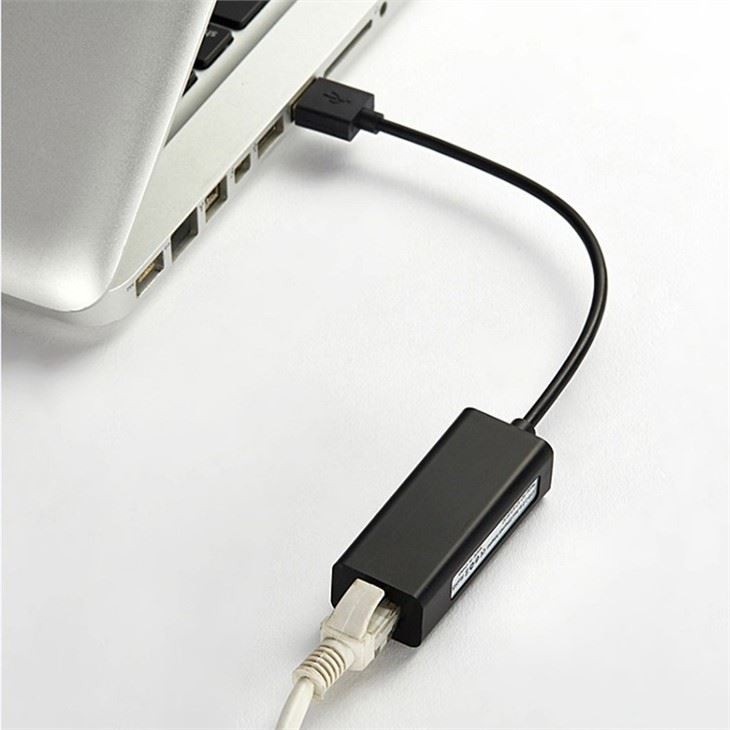
Some of the common types of networking adapters we supply include the USB-C To HDMI Female Adapter, which enables users to connect a USB-C device to an HDMI display, the USB3.0 To USB-C Convertor, which provides a convenient way to connect USB 3.0 devices to USB-C ports, and the USB2.0 To RJ45 Adapter, which allows users to connect a USB 2.0 device to an Ethernet network.
Potential Security Risks
While networking adapters offer numerous benefits, they also pose several security risks. Here are some of the most common security threats associated with these devices:
1. Malware Infections
Networking adapters can serve as entry points for malware infections. For example, if a user connects a compromised networking adapter to their computer, the malware on the adapter can spread to the computer and cause significant damage. Malware can steal sensitive information, such as passwords and credit card numbers, or disrupt the normal operation of the computer.
2. Man-in-the-Middle Attacks
In a man-in-the-middle (MITM) attack, an attacker intercepts the communication between two devices and can eavesdrop on the data being transmitted or modify it. Networking adapters can be vulnerable to MITM attacks, especially if they are not properly secured. For instance, an attacker could use a rogue networking adapter to intercept the communication between a user's computer and a Wi-Fi network.
3. Data Leakage
Networking adapters can also be a source of data leakage. If a networking adapter is not properly configured or if it has a security vulnerability, sensitive data can be leaked to unauthorized parties. This can include personal information, business secrets, and financial data.
4. Denial-of-Service Attacks
A denial-of-service (DoS) attack is an attempt to make a network or a device unavailable to its intended users. Networking adapters can be targeted in DoS attacks, which can disrupt the normal operation of the network or the device. For example, an attacker could flood a networking adapter with traffic, causing it to become overwhelmed and unable to function properly.
How We Address Security Risks
As a networking adapter supplier, we take security very seriously. We understand that our customers rely on our products to connect to networks safely and securely, and we are committed to providing them with high-quality, secure networking adapters. Here are some of the measures we take to address security risks:
1. Security Testing
Before we release any networking adapter to the market, we conduct extensive security testing to ensure that it is free from vulnerabilities. We use a variety of testing tools and techniques, including penetration testing, vulnerability scanning, and code review, to identify and fix any security issues.
2. Encryption
We incorporate encryption technology into our networking adapters to protect the data being transmitted. Encryption scrambles the data so that it is unreadable to anyone who does not have the decryption key. This helps to prevent data leakage and protect the privacy of our customers.
3. Firmware Updates
We regularly release firmware updates for our networking adapters to address any security vulnerabilities that may be discovered. Firmware updates can also improve the performance and functionality of the adapters. We encourage our customers to keep their networking adapters up to date with the latest firmware to ensure that they are protected against the latest security threats.
4. Secure Design
We design our networking adapters with security in mind. We use secure coding practices and follow industry best practices to ensure that our products are resistant to security threats. For example, we implement access controls to limit who can access the adapter's settings and functions, and we use secure communication protocols to protect the data being transmitted.

Tips for Users
In addition to the measures we take as a supplier, users can also take steps to protect themselves from the security risks associated with networking adapters. Here are some tips:
1. Buy from Reputable Suppliers
When purchasing a networking adapter, it's important to buy from a reputable supplier. Reputable suppliers are more likely to provide high-quality, secure products and to offer support and updates to address security issues.
2. Keep Software Up to Date
Users should keep the software on their computers and networking adapters up to date. Software updates often include security patches that can help to protect against the latest security threats.
3. Use Strong Passwords
Users should use strong passwords to protect their networking adapters and the networks they connect to. A strong password should be at least 12 characters long and include a combination of uppercase and lowercase letters, numbers, and symbols.
4. Be Careful When Connecting to Networks
Users should be careful when connecting to networks, especially public Wi-Fi networks. Public Wi-Fi networks are often unsecured, which makes them more vulnerable to security threats. Users should avoid connecting to public Wi-Fi networks if they need to transmit sensitive data, and if they do connect, they should use a virtual private network (VPN) to encrypt their data.
Conclusion
Networking adapters are essential devices for modern connectivity, but they also pose several security risks. As a networking adapter supplier, we are committed to providing our customers with high-quality, secure products. We take a proactive approach to security, conducting extensive testing, incorporating encryption technology, releasing firmware updates, and using secure design practices. However, users also have a role to play in protecting themselves from security threats. By following the tips outlined in this blog post, users can minimize the risks associated with networking adapters and enjoy safe and secure connectivity.
If you are interested in purchasing our networking adapters or have any questions about our products, please feel free to contact us. We would be happy to discuss your needs and provide you with more information.
References
- Stallings, W. (2018). Cryptography and Network Security: Principles and Practice. Pearson.
- Whitman, M. E., & Mattord, H. J. (2018). Principles of Information Security. Cengage Learning.