


Hey there! As a supplier of Tablet and Phone Chargers, I've seen my fair share of charging issues. One of the most common problems folks face is a slow - charging tablet. It's super annoying, right? You're in a hurry, and your tablet just won't juice up as fast as it should. Well, don't worry. In this blog, I'll walk you through how to troubleshoot this issue.
Check the Charger
First things first, let's start with the charger itself. A faulty charger can be the main culprit behind slow charging. I mean, it's like having a leaky pipe when you're trying to fill a bucket.
-
Inspect the Physical Condition: Take a good look at your charger. Check for any visible damage, like frayed cords, bent prongs, or cracked plugs. If you see any of these issues, it's time to get a new one. We offer a great 30W USB - C Port GaN Charger that's not only powerful but also built to last. It uses Gallium Nitride technology, which is more efficient and generates less heat than traditional chargers.
-
Verify the Output Power: Chargers come with different power outputs, usually measured in watts. If your charger doesn't have enough power, your tablet will charge slowly. For example, if your tablet supports fast charging but you're using a low - wattage charger, you're not going to get the speed you want. Our 20W Single Port PD Phone Charger is a great option for tablets that support Power Delivery (PD) technology. It can provide a quick charge and get your tablet up and running in no time.
Examine the Charging Cable
The charging cable is another important part of the equation. A damaged or low - quality cable can also cause slow charging.
-
Look for Damage: Just like the charger, check the cable for any signs of wear and tear. Bent connectors, exposed wires, or a loose fit can all affect the charging speed. If you find any damage, replace the cable. Make sure to use a cable that's compatible with your charger and tablet.
-
Check the Cable Type: Different cables have different capabilities. USB - C cables, for instance, are generally faster than older USB cables. They can support higher power transfer, which means faster charging. If your tablet has a USB - C port, use a high - quality USB - C cable for the best results.

Evaluate the Tablet's Battery
The tablet's battery itself could be the problem. Over time, batteries lose their capacity, and this can lead to slow charging.
-
Check the Battery Health: Most tablets have a battery health indicator in the settings. If your battery health is low, it might be time for a replacement. However, replacing a tablet battery can be a bit tricky, so it's best to consult a professional.
-
Avoid Overheating: High temperatures can damage the battery and slow down the charging process. Make sure your tablet isn't in direct sunlight or near a heat source while charging. Also, don't use your tablet heavily while it's charging, as this can generate heat.
Consider the Tablet's Settings
Sometimes, the tablet's settings can affect the charging speed.
-
Disable Power - Hungry Features: Features like Wi - Fi, Bluetooth, and high - brightness display consume a lot of power. Turn them off while charging to allow the tablet to focus on charging the battery.
-
Put the Tablet in Airplane Mode: Airplane mode disables all wireless connections, which can significantly speed up the charging process. It's a simple trick that can make a big difference.
Analyze the Charging Environment
The environment where you're charging your tablet can also play a role.
-
Use a Wall Outlet: Charging your tablet from a wall outlet is generally faster than charging from a computer or a power bank. Wall outlets provide a more stable power source, which can result in faster charging.
-
Avoid Overcrowded Power Strips: If you're using a power strip, make sure it's not overloaded. Too many devices plugged into a single power strip can cause voltage drops, which can slow down the charging process.
Other Possible Causes
There are a few other things that could be causing the slow charging issue.
-
Software Glitches: Sometimes, a software glitch can interfere with the charging process. Try restarting your tablet to see if that fixes the problem. If not, you might need to update the tablet's software to the latest version.
-
Third - Party Apps: Some third - party apps can run in the background and consume power, even when you're not using them. Check your tablet's app list and uninstall any apps that you don't need or that are known to be power - hungry.
Conclusion
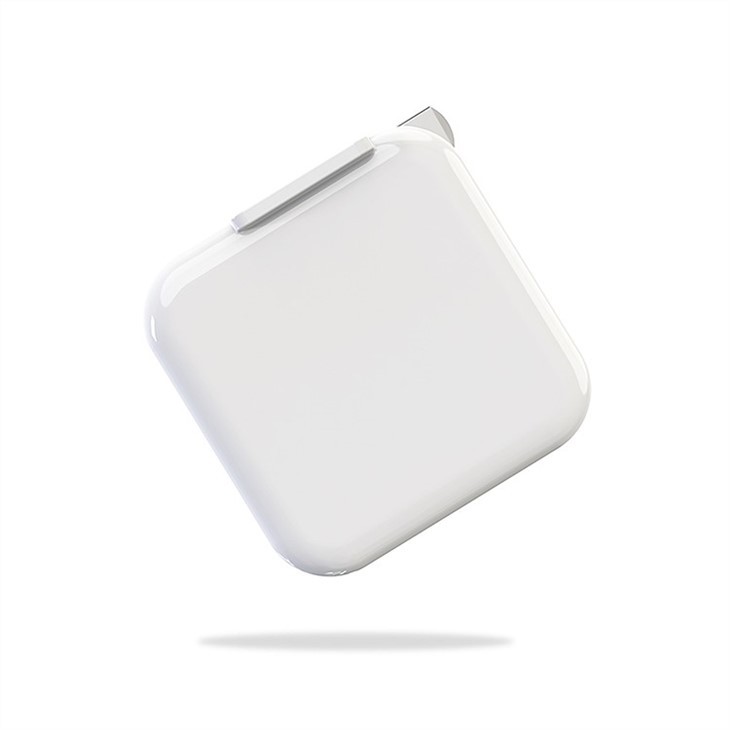
So, there you have it! These are the main steps you can take to troubleshoot a slow - charging tablet with its charger. If you've tried all these steps and you're still having problems, it might be time to invest in a new charger or cable. We offer a wide range of high - quality chargers, like the 12W Single Port Foldable Phone Charger, which is not only convenient but also reliable.
If you're interested in purchasing our chargers for your business or personal use, we'd love to hear from you. Contact us for more information and to start a procurement negotiation. We're always happy to help you find the right charger for your needs.
References
- Various industry reports on charger technology and tablet battery performance.
- Personal experience as a Tablet and Phone Charger supplier.


