


As a supplier of Wireless Microphone Kits, I often get asked whether it's possible to use our wireless microphone kits with a soundbar. This is a valid question, especially considering the growing popularity of soundbars as a convenient and effective way to enhance audio quality for TVs, home theaters, and other entertainment setups. In this blog post, I'll explore the compatibility between wireless microphone kits and soundbars, discuss the factors to consider, and provide some tips on how to make the connection work.
Understanding the Basics of Wireless Microphone Kits and Soundbars
Before we dive into the compatibility issue, let's first understand what wireless microphone kits and soundbars are and how they work.
Wireless Microphone Kits
A wireless microphone kit typically consists of a transmitter and a receiver. The transmitter is attached to the microphone, which picks up sound and converts it into an electrical signal. This signal is then wirelessly transmitted to the receiver, which is connected to an audio device such as a mixer, amplifier, or speaker. Wireless microphone kits use various frequencies and technologies, such as infrared, radio frequency (RF), or Bluetooth, to transmit the audio signal.
Soundbars
A soundbar is a long, thin speaker system that is designed to be placed in front of a TV or other display device. It usually contains multiple speakers and amplifiers, which work together to produce a more immersive and high-quality audio experience compared to the built-in speakers of a TV. Soundbars can be connected to a TV or other audio source via HDMI, optical cable, or Bluetooth.
Compatibility Considerations
Now that we have a basic understanding of wireless microphone kits and soundbars, let's discuss the factors to consider when determining whether they are compatible.
Connection Options
The first thing to consider is the connection options available on both the wireless microphone kit and the soundbar. Most soundbars have a variety of input options, such as HDMI, optical, USB, and AUX. You need to make sure that the receiver of your wireless microphone kit has a compatible output that can be connected to one of the input options on the soundbar.
For example, if your soundbar has an HDMI input and your wireless microphone kit receiver has an HDMI output, you can simply connect the two using an HDMI cable. If your soundbar only has an AUX input and your wireless microphone kit receiver has a 3.5mm audio output, you can use a 3.5mm audio cable to make the connection.
Frequency and Interference
Another important factor to consider is the frequency used by the wireless microphone kit and the potential for interference. Wireless microphone kits operate on different frequencies, and some frequencies may be more prone to interference than others. You need to make sure that the frequency used by your wireless microphone kit does not interfere with the operation of your soundbar or other electronic devices in your home.
In addition, you should also consider the range of the wireless microphone kit. If you plan to use the microphone at a distance from the receiver, you need to make sure that the range of the wireless microphone kit is sufficient to cover the distance without any loss of signal quality.

Audio Quality
The audio quality of the wireless microphone kit and the soundbar is also an important consideration. You want to make sure that the audio signal from the wireless microphone kit is clear, crisp, and free of any distortion or noise. You also want to make sure that the soundbar is capable of reproducing the audio signal accurately and with high fidelity.
To ensure good audio quality, you should choose a wireless microphone kit and a soundbar that are of high quality and have good reviews. You should also make sure that the settings on both the wireless microphone kit and the soundbar are properly adjusted to optimize the audio quality.
Making the Connection
If you have determined that your wireless microphone kit and soundbar are compatible, the next step is to make the connection. Here are the general steps to follow:
- Power off both the wireless microphone kit and the soundbar. This will prevent any electrical damage or interference during the connection process.
- Connect the receiver of the wireless microphone kit to the soundbar. Use the appropriate cable to connect the output of the receiver to one of the input options on the soundbar. Make sure that the cable is securely plugged in.
- Power on both the wireless microphone kit and the soundbar. Wait for the devices to boot up and initialize.
- Pair the wireless microphone with the receiver. Follow the instructions in the user manual of your wireless microphone kit to pair the microphone with the receiver. This usually involves pressing a button on both the microphone and the receiver.
- Test the connection. Speak into the microphone and check if the sound is being transmitted to the soundbar and played through the speakers. Adjust the volume and other settings on both the wireless microphone kit and the soundbar as needed.
Tips for Using a Wireless Microphone Kit with a Soundbar
Here are some tips to help you get the most out of using a wireless microphone kit with a soundbar:
Positioning
The positioning of the wireless microphone and the soundbar can have a significant impact on the audio quality. You should place the wireless microphone in a position where it can pick up sound clearly and without any interference. You should also place the soundbar in a position where it can distribute the sound evenly throughout the room.
Volume Control
Make sure that the volume on both the wireless microphone kit and the soundbar is properly adjusted. You don't want the sound to be too loud or too soft. You can use the volume controls on the wireless microphone kit and the soundbar to adjust the volume as needed.
Maintenance
Regular maintenance of your wireless microphone kit and soundbar is important to ensure their optimal performance. You should clean the microphone and the receiver regularly to remove any dust or debris. You should also check the batteries of the wireless microphone and replace them when needed.
Accessories
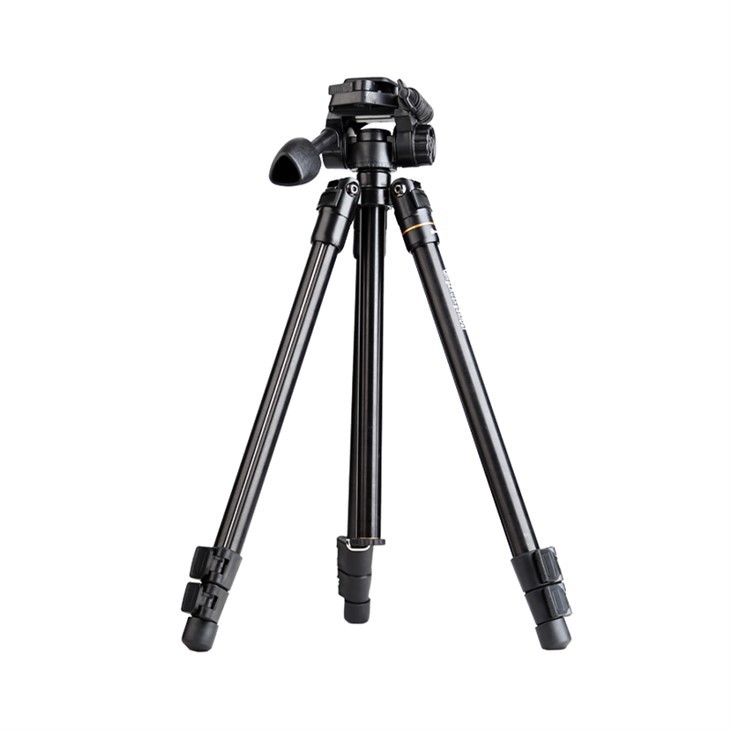
There are various accessories available that can enhance the performance of your wireless microphone kit and soundbar. For example, you can use a TS-ZR8880 LCD screen mounting bracket to mount the soundbar on the wall or a TS-SZ8858-Z meeting display stand to position the microphone at the right height. You can also use a TS-Q109-Q Professional Video Accessories Tripod to stabilize the microphone.
Conclusion
In conclusion, it is possible to use a wireless microphone kit with a soundbar, but you need to make sure that they are compatible and that the connection is properly made. By considering the factors discussed in this blog post and following the tips provided, you can enjoy a high-quality audio experience when using a wireless microphone kit with a soundbar.
If you are interested in purchasing a wireless microphone kit or have any questions about using it with a soundbar, please feel free to contact us for more information and to discuss your specific needs. We are a leading supplier of wireless microphone kits and can provide you with the best products and solutions at competitive prices.
References
- "Wireless Microphone Basics." Shure Incorporated, 2023.
- "How to Connect a Soundbar to Your TV." CNET, 2023.
- "Tips for Using a Wireless Microphone." Bose Corporation, 2023.


